Updating Your Mobile Number
Written By gaia
Overview
Your mobile number is used for notifications and account identity information. You can update it at any time from your profile.
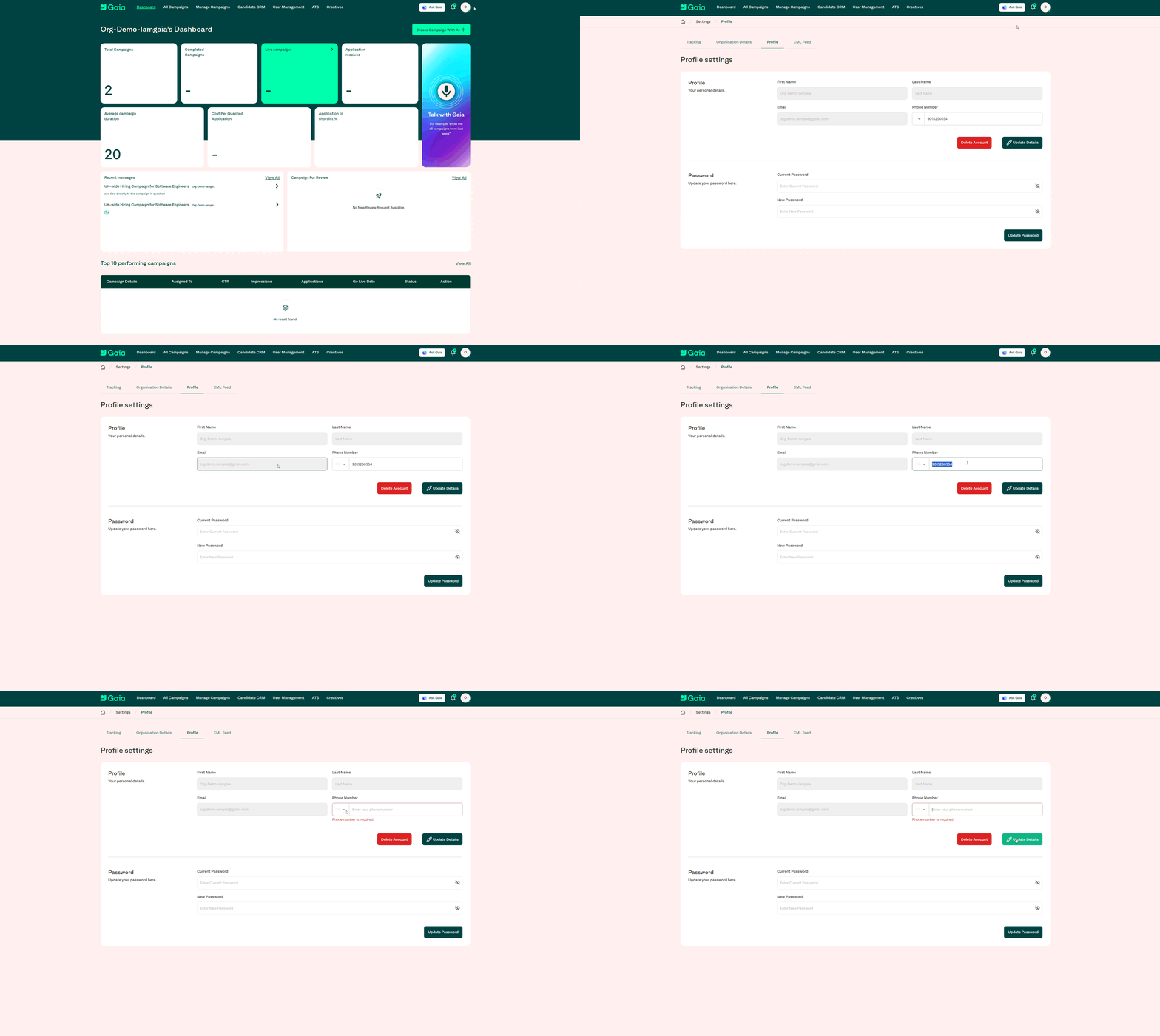
Step-by-step
Click the profile icon in the top-right corner.
Select Settings.
Go to the Profile tab.
Under the Phone Number field, enter your new mobile number.
Click Update details to save.
Walkthrough
Tips & Troubleshooting
Ensure you enter your number in the correct international format if required.
Updating your phone number does not affect login details unless SMS 2FA is enabled.
Was this helpful?
Still need help? Share an idea