November 17th, 2025
Improved
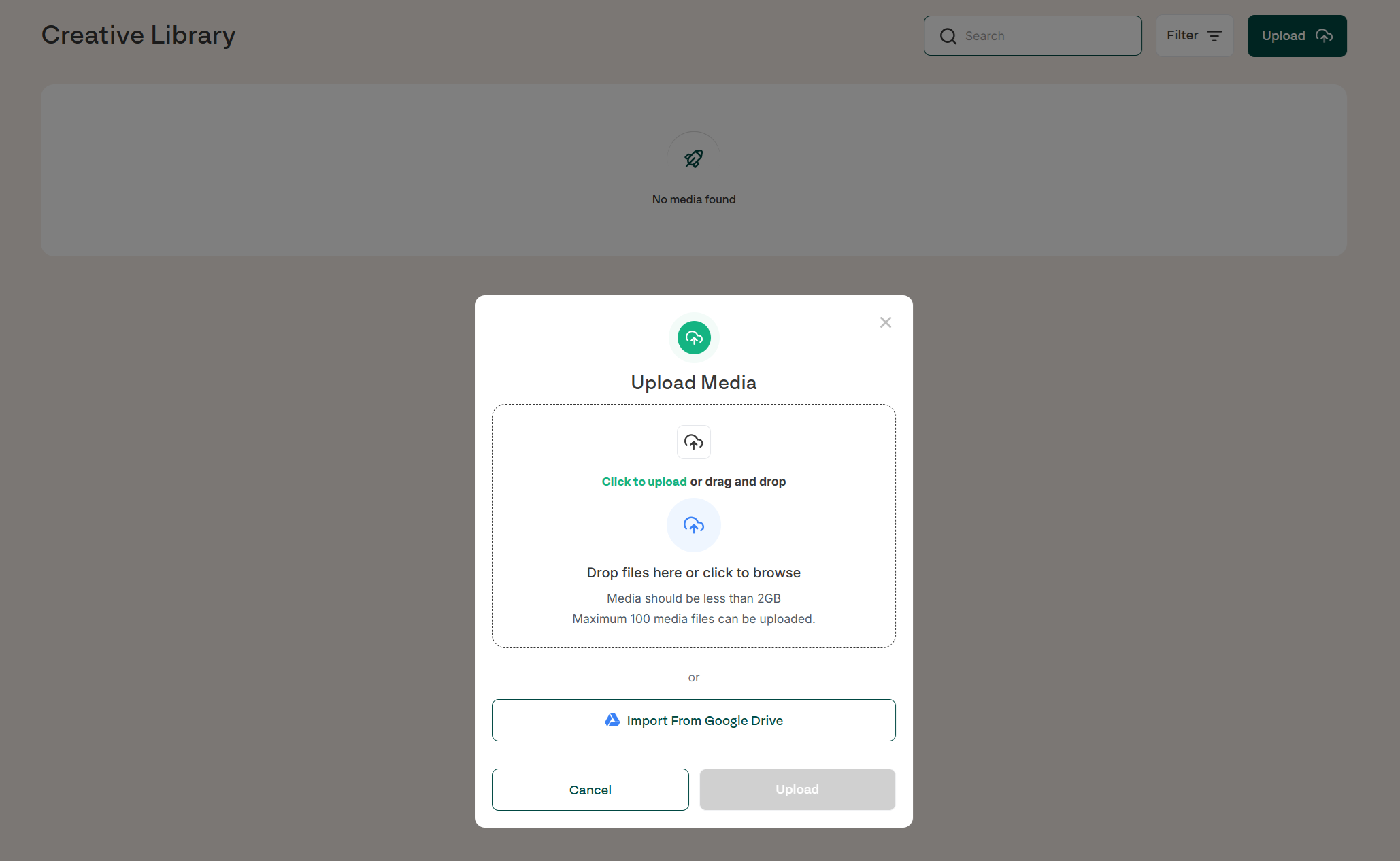
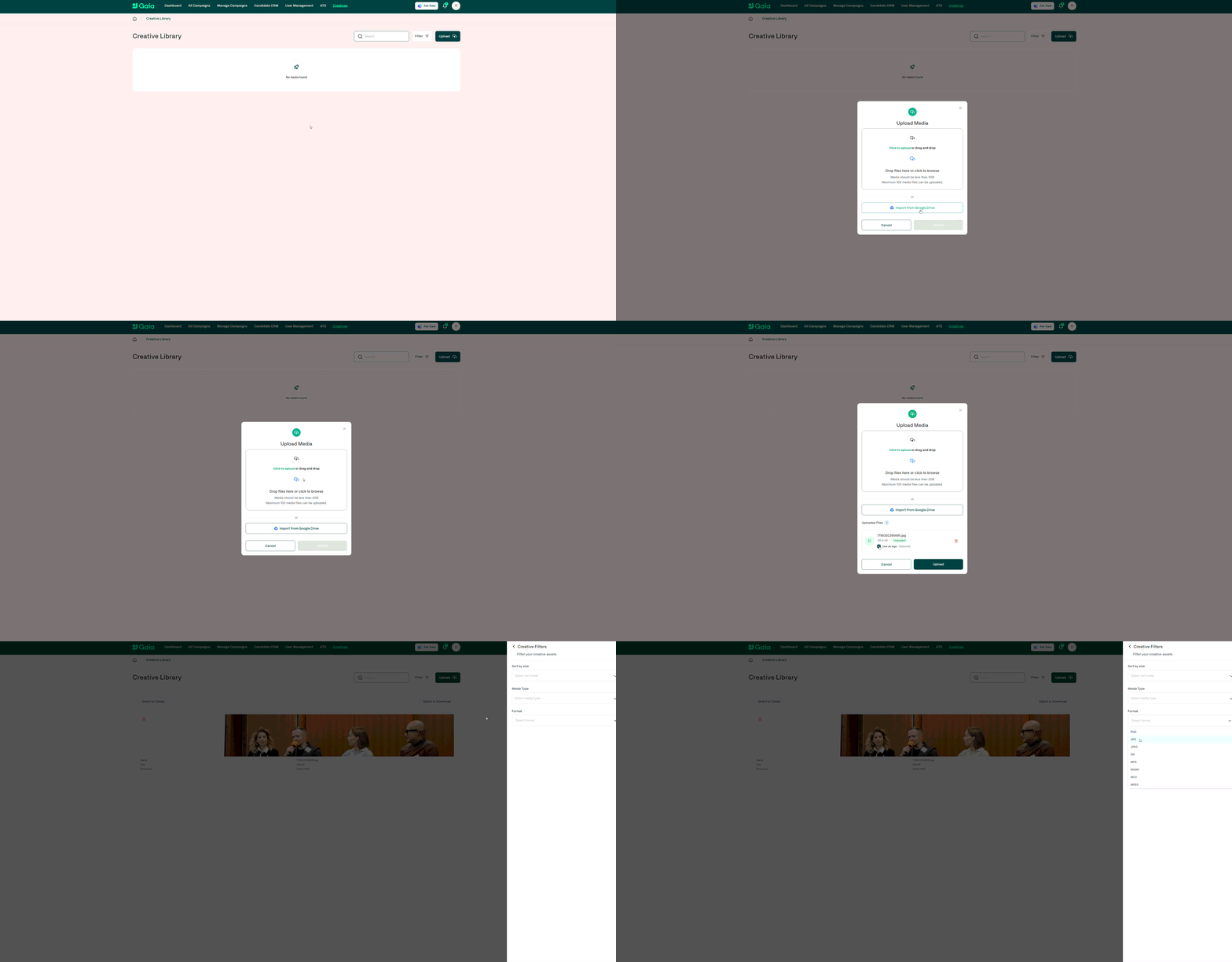
Creative is one of the biggest drivers of campaign performance, so we’re making it as seamless as possible to manage, organise and use creative assets inside Gaia. The Creative Library has been upgraded to give customers more flexibility, speed and control when preparing campaigns.
Automatic imports from Google Drive
Support for all creative file types
Upload up to 2GB per file and 100 media files at a time
Bulk delete, download, and multi-select asset actions
Full search functionality
Filters for media type, format, and the ability to sort by size
All assets are accessible directly inside the campaign request flow
Pre-upload assets to quickly select them during campaign creation
How it works
The Creative Library acts as your central repository for all visual assets used in Gaia campaigns. With the latest updates, you can:
Connect your Google Drive and automatically import creatives
Drag and drop or directly upload large batches of images and videos
Store any creative format used across social channels (images, video, GIFs, etc.)
Use filters and search to quickly find the right assets
Select previously uploaded creatives during the campaign request process to save time
Manage your library with bulk actions for faster organisation
These improvements support smoother workflows, especially for teams managing high-volumes of campaigns or large creative sets.
Availability
Available to all customers
Fully accessible by the Gaia team for campaign delivery
Benefits
Faster, more efficient creative workflows
Reduced need to upload assets repeatedly during campaign creation
Clear organisation for large creative libraries
Supports all major file types and large file sizes
Ensures the right creative is always available when launching campaigns
Improves overall performance by making high-quality creative easier to use
November 17th, 2025
New
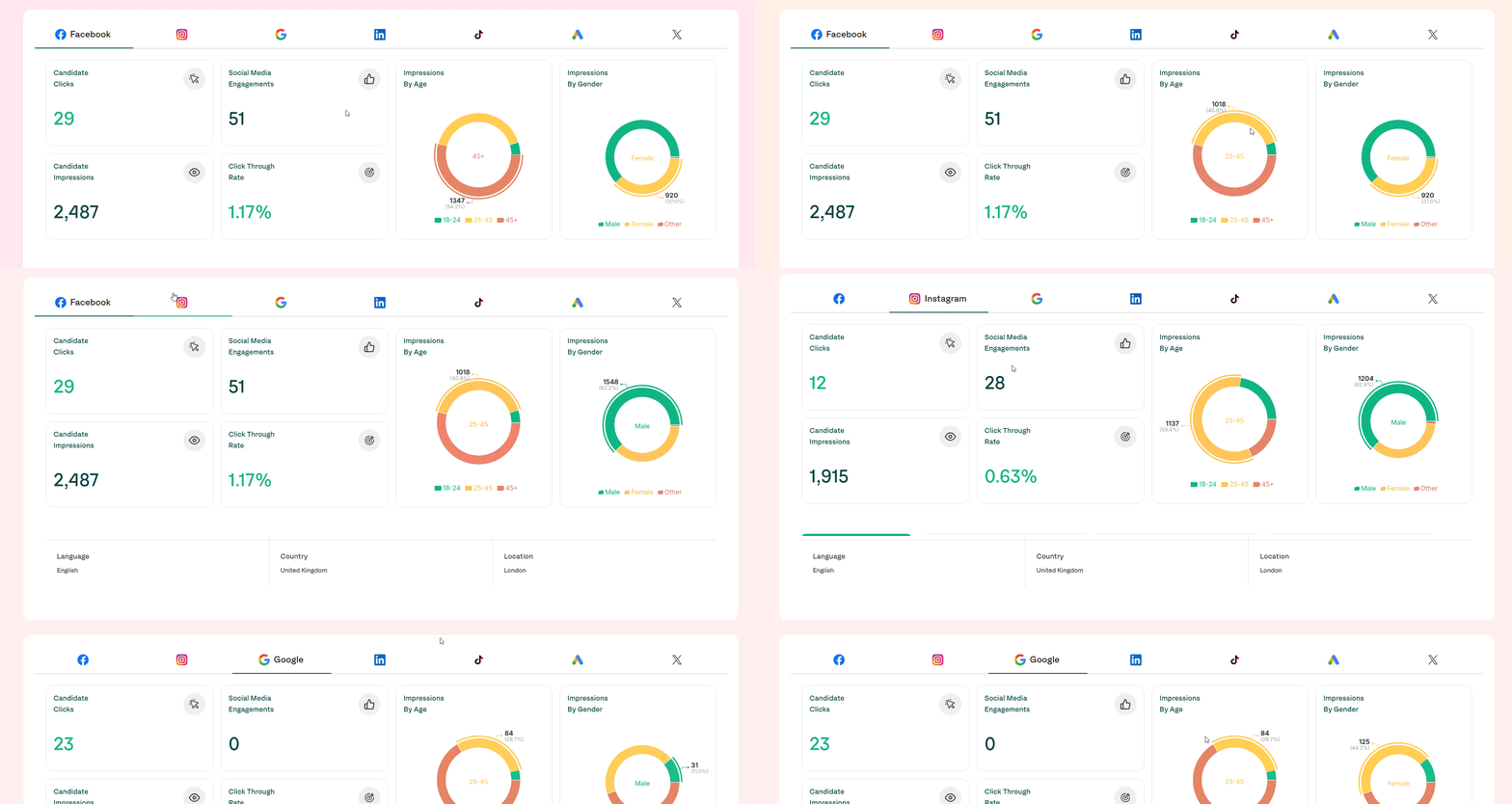
Based on feedback from customers and the Gaia team, we have expanded our reporting capabilities to include demographics insights across all major channels. This enhancement provides deeper visibility into who is engaging with your campaigns.
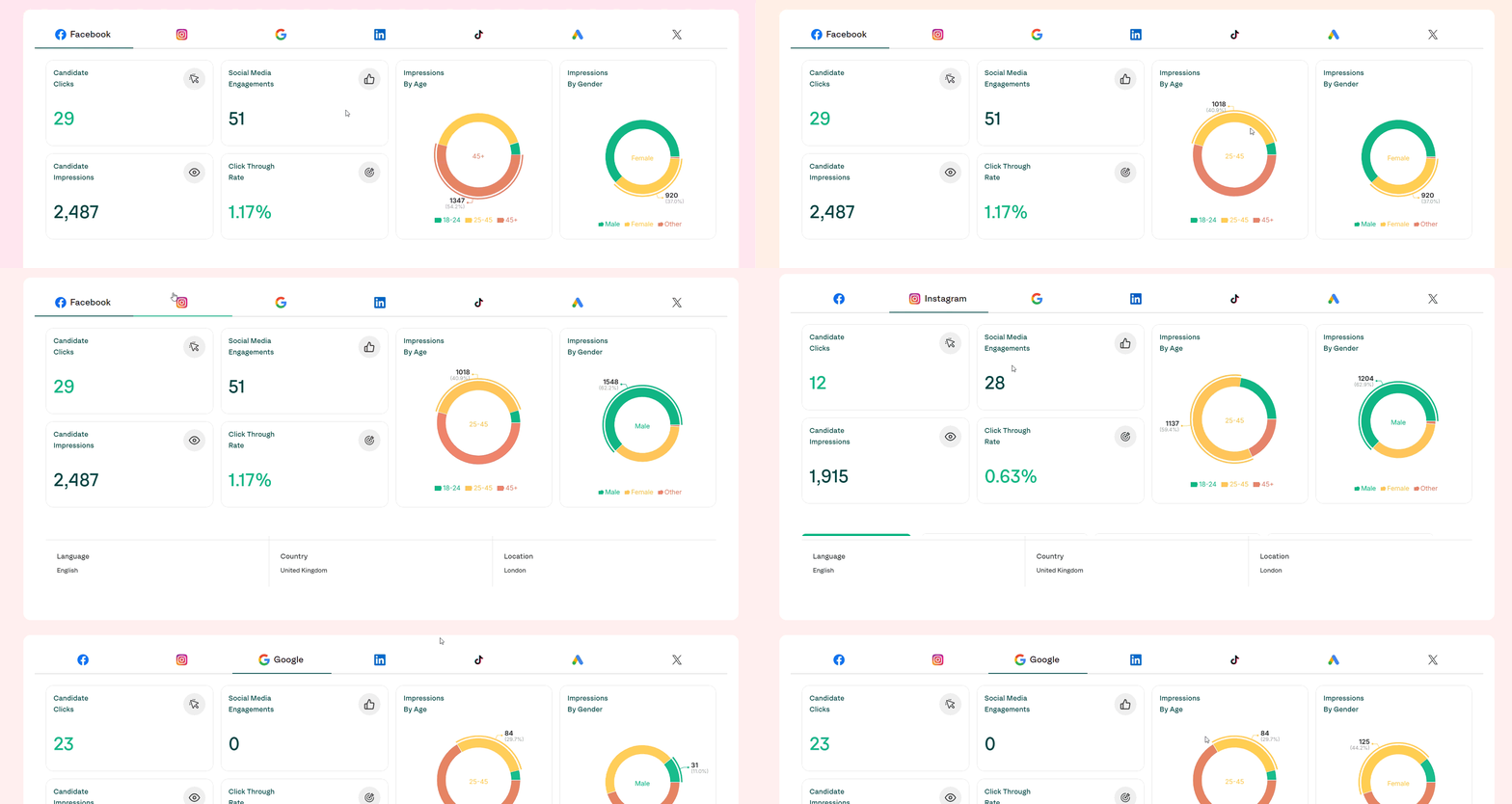
Demographics reporting now includes age and gender across all channels except LinkedIn
LinkedIn is excluded, as its API does not provide demographics data
Insights can be used to understand audience relevance, creative resonance and campaign performance
Improves transparency and adds more value for customers running omnichannel campaigns
How it works
Gaia now automatically collects and aggregates demographic data from supported channels. You’ll find this information within your reporting dashboards, alongside other campaign performance metrics.
This includes:
Age breakdown of engaged users by impressions
Gender split across impressions
Cross-channel visibility (e.g. Meta, Google, TikTok, Snapchat and others)
Filtering and comparison across campaigns and date ranges
No setup or tracking changes are required - demographics reporting is enabled automatically.
Availability
Available to all customers
Visible to the Gaia team in support and optimisation workflows
Benefits
Provides a richer understanding of who your campaigns are reaching
Helps validate whether the right audience is being targeted
Enables smarter optimisation across channels and creatives
Creates clear value in reporting conversations with stakeholders
Requires no customer action - fully automatic
October 31st, 2025
Improved
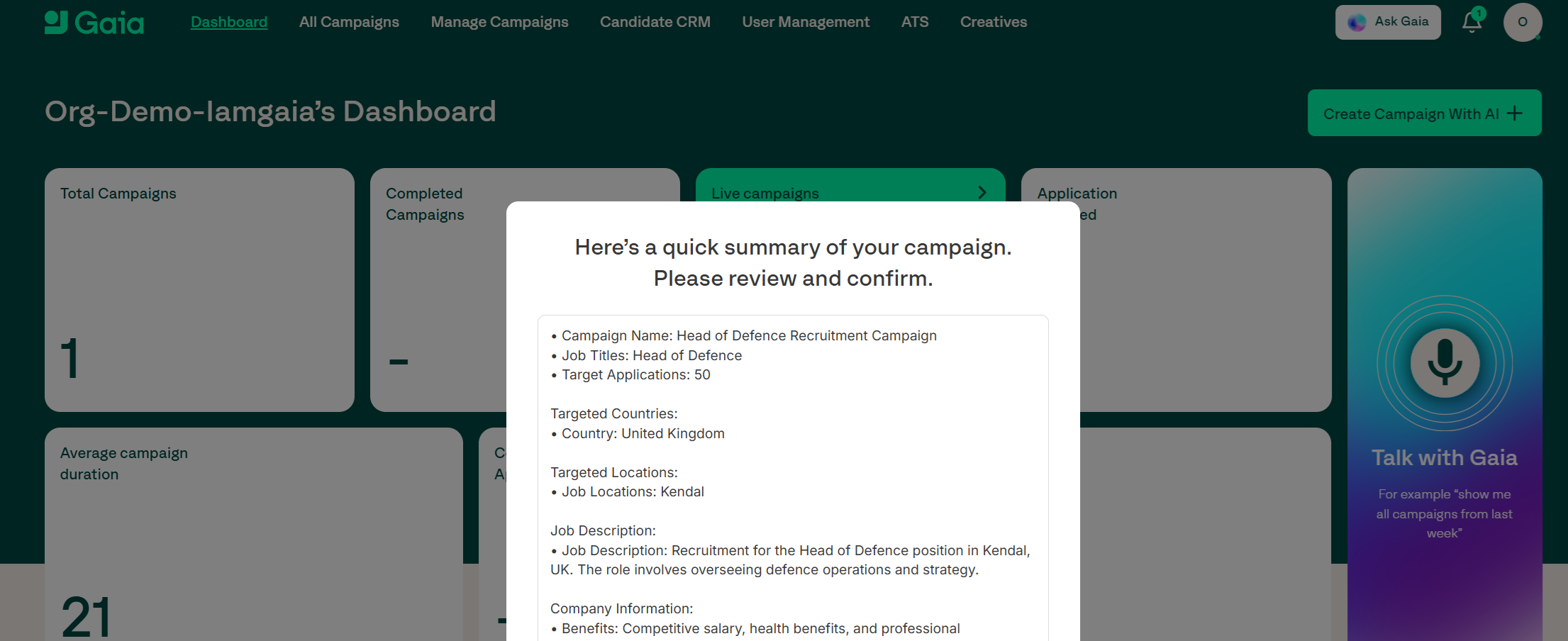
Based on feedback from customers and the Gaia team, we have made several improvements to how campaign requests work in Gaia.
Improved job title matching
Improved location matching
On the campaign form, we have removed any limits and enabled drafting
When someone accidentally clicks to the side of the prompt window, it will no longer close - you must click cancel to close the prompt
Once a campaign is submitted, it can be edited + deleted/archived
URLs are no longer compulsory at campaign request and can be added to a campaign later
How it works
Availability
All customers
Gaia team
Benefits
Easier, more reliable campaign requests which take less time