November 17th, 2025
Improved
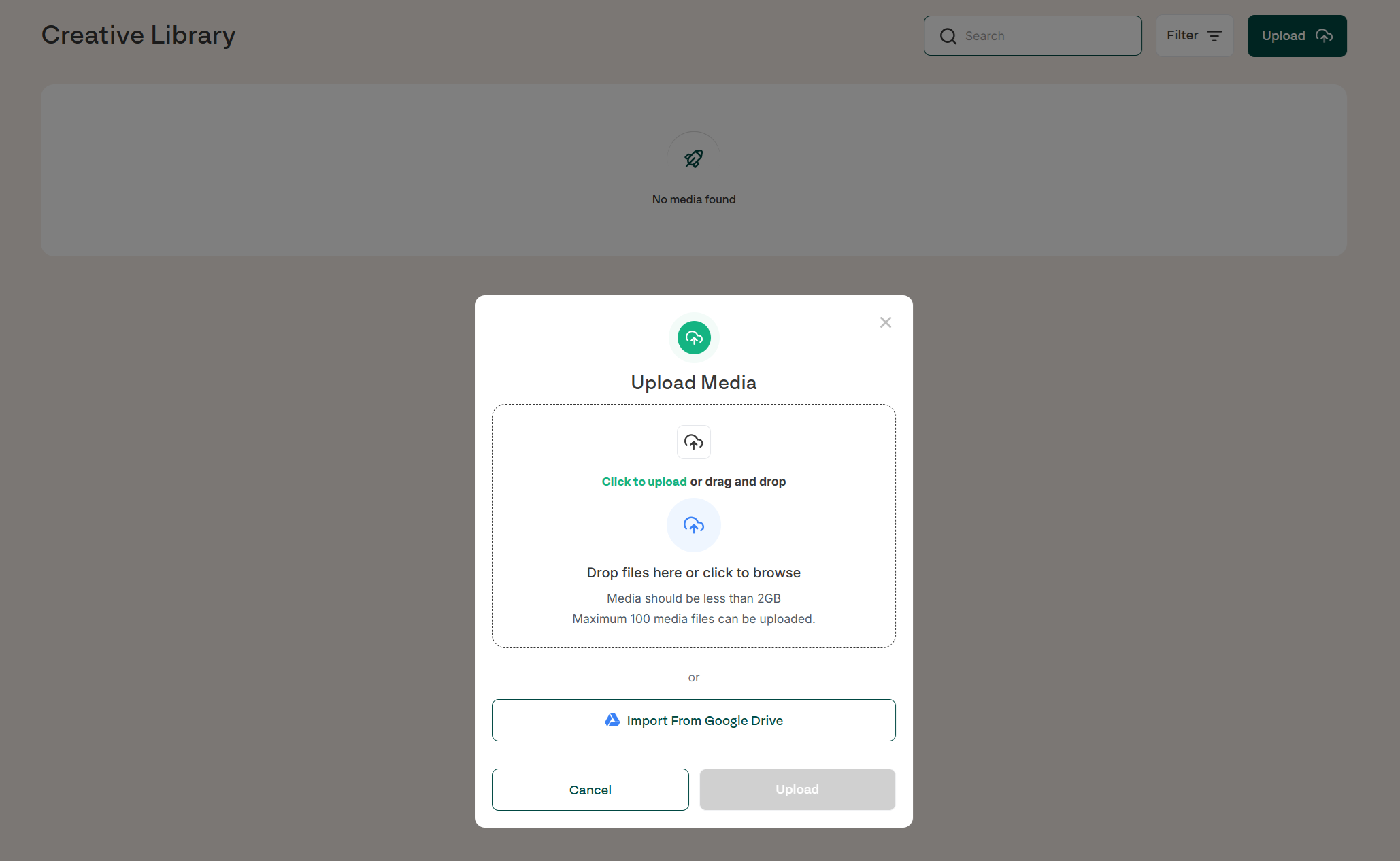
Creative Library Updates
Creative is one of the biggest drivers of campaign performance, so we’re making it as seamless as possible to manage, organise and use creative assets inside Gaia. The Creative Library has been upgraded to give customers more flexibility, speed and control when preparing campaigns.
Automatic imports from Google Drive
Support for all creative file types
Upload up to 2GB per file and 100 media files at a time
Bulk delete, download, and multi-select asset actions
Full search functionality
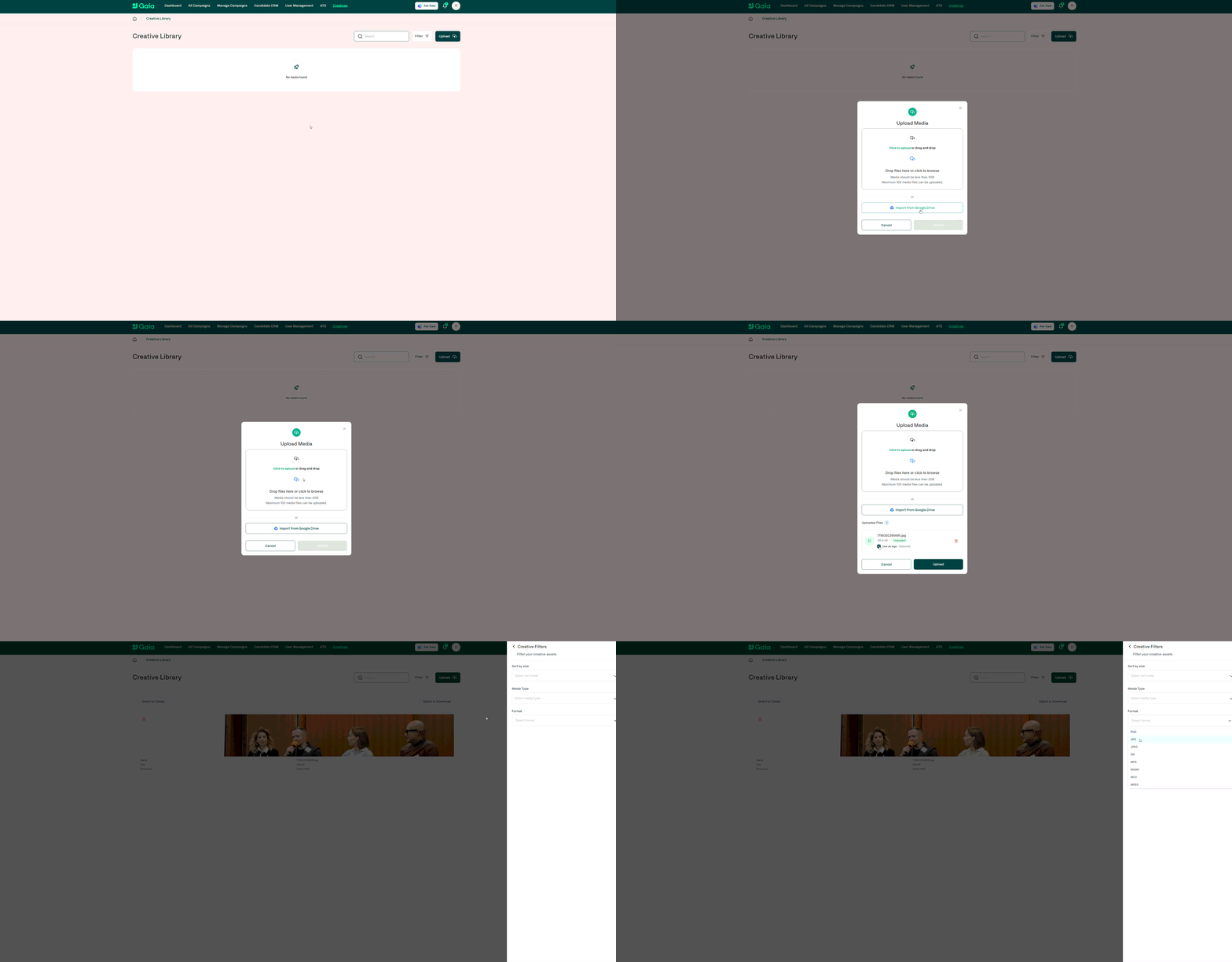
Filters for media type, format, and the ability to sort by size
All assets are accessible directly inside the campaign request flow
Pre-upload assets to quickly select them during campaign creation
How it works
The Creative Library acts as your central repository for all visual assets used in Gaia campaigns. With the latest updates, you can:
Connect your Google Drive and automatically import creatives
Drag and drop or directly upload large batches of images and videos
Store any creative format used across social channels (images, video, GIFs, etc.)
Use filters and search to quickly find the right assets
Select previously uploaded creatives during the campaign request process to save time
Manage your library with bulk actions for faster organisation
These improvements support smoother workflows, especially for teams managing high-volumes of campaigns or large creative sets.
Availability
Available to all customers
Fully accessible by the Gaia team for campaign delivery
Benefits
Faster, more efficient creative workflows
Reduced need to upload assets repeatedly during campaign creation
Clear organisation for large creative libraries
Supports all major file types and large file sizes
Ensures the right creative is always available when launching campaigns
Improves overall performance by making high-quality creative easier to use